


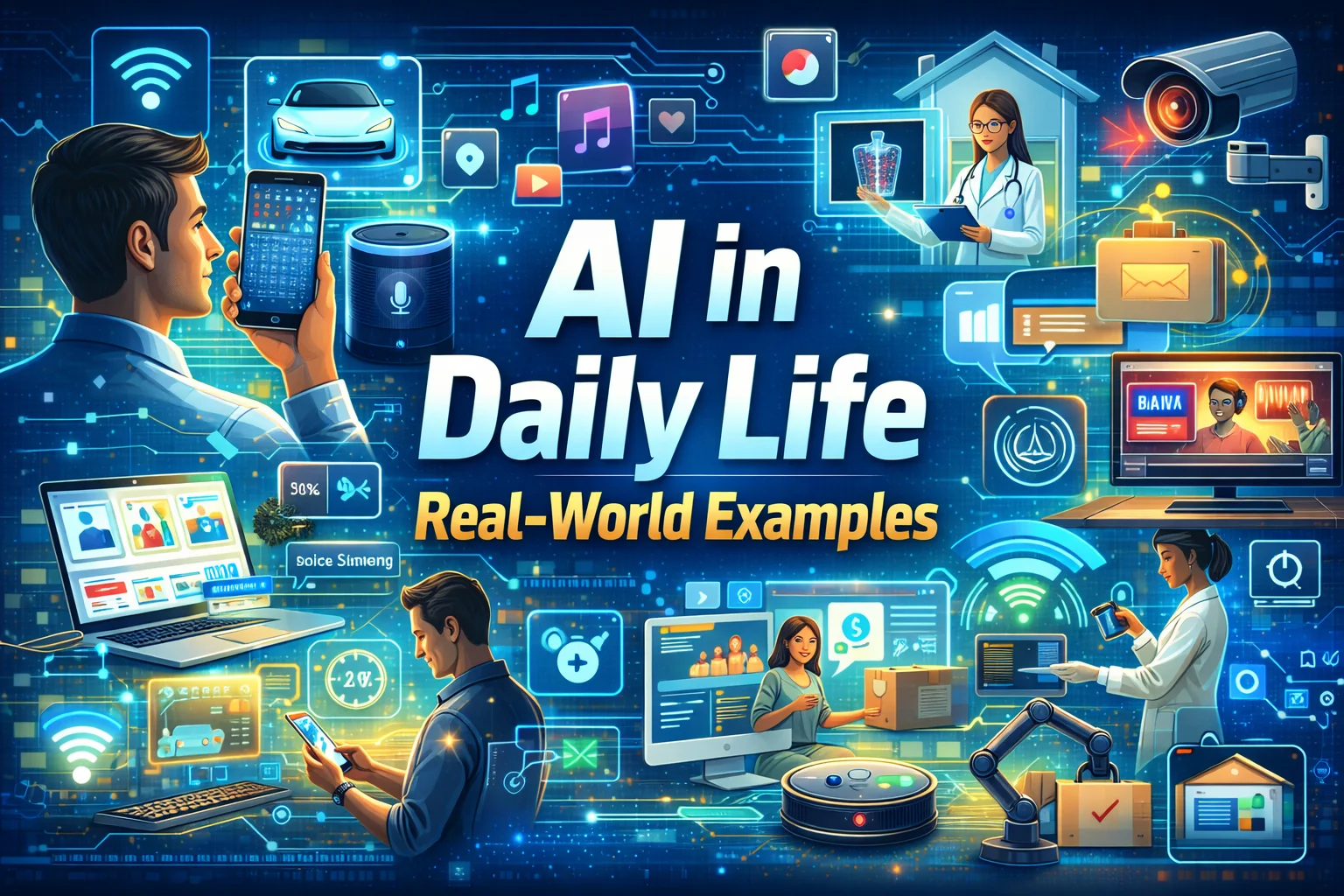
AI for everyday tasks is becoming a normal part of the way people work, learn, communicate, and organize their lives.
You don’t need to be a programmer or technology expert to benefit from artificial intelligence. In fact, some of the most useful applications of AI are surprisingly simple.
You might use an AI assistant to organize your day, write an email, summarize a long document, explain something you don’t understand, plan a trip, brainstorm an idea, or help organize information.
The goal isn’t to let AI take over everything.
The real value comes from using AI where it can save time, reduce repetitive work, or make a complicated task easier.
As AI becomes more common in phones, computers, apps, websites, and smart devices, understanding how to use it responsibly can become a useful everyday skill.
In this guide, we’ll look at 10 practical ways AI for everyday tasks can help, along with some important limitations to keep in mind.
Table of Contents
AI for Everyday Tasks: Planning Your Day
Using AI for Writing
AI for Learning and Education
Organizing Information With AI
Using AI for Research
AI for Travel Planning
AI for Shopping
AI for Language and Translation
AI for Repetitive Tasks
AI for Brainstorming and Ideas
How to Get Better Results From AI
Privacy and Responsible AI Use
Can AI Replace Human Judgment?
The Future of AI in Everyday Life
Frequently Asked Questions
1. AI for Everyday Tasks: Planning Your Day
One of the simplest ways to use AI for everyday tasks is to organize your schedule.
A busy day can quickly become difficult to manage. You may have work responsibilities, appointments, emails, household tasks, errands, and personal goals all competing for your attention.
Instead of trying to organize everything manually, you can give an AI assistant a list of tasks and ask it to help you prioritize them.
For example, you could provide:
- Three important work tasks
- Two meetings
- A shopping trip
- Household responsibilities
- Exercise time
- Personal appointments
AI can then help turn that information into a simple schedule.
You can also ask it to separate your tasks into categories such as:
High priority
Tasks that need immediate attention.
Medium priority
Tasks that are important but can wait.
Low priority
Tasks that can be completed when you have additional time.
The final decision should remain yours.
AI is helping organize information, not deciding how you should live your day.
That small distinction is important because technology works best when it supports human decisions rather than replacing them.
2. Using AI for Writing
Writing is another common example of AI for everyday tasks.
Many people spend a surprising amount of time writing emails, messages, reports, notes, social media posts, and other everyday content.
AI can help create a first draft or improve something you’ve already written.
For example, you could give an AI assistant the basic details of an email and ask it to create a professional draft.
You can then review the result and change anything that doesn’t sound like you.
AI can help with:
- Emails
- Business messages
- Blog outlines
- Reports
- Meeting notes
- Social media ideas
- Product descriptions
- Short announcements
- Basic content planning
It can also help adjust the tone.
You could ask:
“Make this message more friendly.”
Or:
“Make this email shorter and more professional.”
This can be useful when you know what you want to say but are struggling to find the right words.
Keep Your Own Voice
AI-generated writing shouldn’t automatically be treated as finished content.
Read it carefully.
Add your own experience.
Check facts.
Remove anything that doesn’t sound natural.
The best results often come from combining AI assistance with human editing.
3. AI for Learning and Education
Learning something new can sometimes feel overwhelming.
A textbook or technical article may explain a subject using terminology that is difficult for a beginner to understand.
AI can help make complex subjects easier to approach.
For example, instead of asking:
“Explain machine learning.”
You could ask:
“Explain machine learning to someone who has never studied computer science, and give three simple examples.”
The second question provides more context, which can help produce a more useful explanation.
You can also ask AI to:
- Explain difficult concepts
- Create practice questions
- Summarize notes
- Create flashcards
- Compare two ideas
- Explain terminology
- Provide examples
- Create study plans
This makes AI potentially useful for students, professionals, and people learning something simply because they are curious.
However, AI shouldn’t become your only source of information.
AI systems can make mistakes.
For academic or important subjects, compare the information with textbooks, educational institutions, research papers, and other reliable sources.
The purpose should be to improve your understanding, not simply to get a quick answer.
4. Organizing Information With AI
Information is everywhere.
Emails, documents, notes, messages, meeting summaries, shopping lists, research material, and personal reminders can quickly become difficult to organize.
AI can help turn large amounts of information into a clearer structure.
Imagine that you have several pages of meeting notes.
Instead of reading through everything repeatedly, you could ask an AI tool to organize the notes into:
Key Decisions
What was discussed and decided?
Action Items
What needs to happen next?
Deadlines
Which tasks have specific dates?
Open Questions
Which topics still need clarification?
This type of organization can save time and make information easier to review.
The same approach can be useful for personal notes, project planning, research, and other everyday activities.
Be Careful With Private Information
Before uploading documents to an AI service, consider whether they contain confidential information.
Avoid sharing sensitive information unless you understand how the particular service stores and handles data.
5. Using AI for Research
Research can take a lot of time, especially when you’re starting with a completely new topic.
AI can help you understand a subject and decide where to begin.
For example, imagine you want to learn about renewable energy.
You could ask AI to divide the topic into smaller areas:
- Solar power
- Wind energy
- Energy storage
- Electric vehicles
- Power grids
- Energy efficiency
- Environmental impact
This gives you a roadmap for further research.
AI can also help generate questions that you may not have thought about yourself.
However, there is an important limitation.
AI-generated information should not automatically be treated as verified information.
AI can produce inaccurate claims or misunderstand a question.
For statistics, current events, academic information, financial information, or other important facts, check reliable sources before using the information.
AI can help you start your research, but it shouldn’t replace proper verification.
6. AI for Travel Planning
Planning a trip can involve dozens of small decisions.
You might need to decide where to go, what to see, how much time to spend in each location, what to pack, and how to organize your schedule.
AI can help create a starting itinerary based on your preferences.
For example:
“Create a three-day city itinerary focused on museums, local food, and relaxed activities.”
The result can then be adjusted according to your budget, interests, travel dates, and available time.
You can also ask AI to create:
- Packing checklists
- Activity ideas
- Travel schedules
- Destination comparisons
- Basic itineraries
- Questions to consider before traveling
Always Verify Travel Information
Travel information can change.
Opening hours, ticket prices, transportation schedules, entry requirements, weather, and local regulations may be different from what an AI system tells you.
Use AI for ideas and planning, but verify important information with official sources before making travel decisions.
7. AI for Shopping and Product Research
AI is also changing the way people shop online.
You may already encounter AI-powered recommendations when browsing an online store.
For example, a website might show:
- Products you may like
- Similar products
- Frequently purchased items
- Personalized recommendations
AI can also help you compare products by organizing features according to your needs.
Instead of looking at dozens of specifications, you could ask an AI tool to help you create a simple comparison checklist.
For example:
Budget
What is the maximum amount you want to spend?
Features
Which features are actually important?
Quality
What should you check before buying?
Long-term value
Will the product meet your needs over time?
AI can help organize the comparison, but you should still review specifications, warranties, reviews, seller information, and other relevant details.
Don’t let an automated recommendation make the entire purchasing decision for you.
8. AI for Language and Translation
Language is another area where AI can make everyday communication easier.
AI-powered language tools can help translate text, improve grammar, explain unfamiliar phrases, and support language learning.
For example, someone learning English could ask:
“Why is this sentence grammatically incorrect?”
The AI could explain the issue and provide examples.
A traveler could use a translation tool to understand common phrases while visiting another country.
A professional working with international clients could use AI to prepare a first draft of a message.
These applications can make communication more accessible.
However, sensitive documents require extra care.
Legal, medical, financial, and official documents may require professional human translation because accuracy and context can be extremely important.
9. AI for Repetitive Tasks
Repetitive digital work can consume a significant amount of time.
AI can help with certain tasks that follow a predictable pattern.
Examples include:
- Summarizing information
- Categorizing text
- Creating routine drafts
- Extracting information
- Organizing lists
- Converting notes into structured content
- Creating templates
- Sorting information
Imagine performing the same small task dozens of times each week.
If an AI tool can safely handle part of that process, you may be able to spend more time on work that requires human attention.
However, automation should be approached carefully.
Ask yourself:
What happens if the AI makes a mistake?
If an error could create a serious problem, human review may still be necessary.
10. AI for Brainstorming and Generating Ideas
Sometimes the hardest part of a project is getting started.
You may have a general goal but no clear idea of what to do first.
AI can work as a brainstorming partner.
You could ask it for:
- Blog topics
- Business ideas
- Presentation concepts
- Project names
- Marketing ideas
- Content outlines
- Creative concepts
- Questions to investigate
- Different ways to approach a problem
The benefit is speed.
AI can generate several possibilities quickly.
But quantity doesn’t automatically mean quality.
Some ideas will be useful.
Others won’t.
The best approach is to use AI to expand your options and then use your own experience to decide which ideas are worth developing.
How to Get Better Results From AI
The quality of an AI response often depends on the instructions you provide.
Compare these two requests:
“Write about productivity.”
and:
“Write five practical productivity tips for a small business owner who works from home and has limited time.”
The second request provides much more context.
When using AI for everyday tasks, try to explain:
- What you need
- Who the result is for
- The desired format
- How detailed it should be
- Important limitations
- Any relevant background information
You can also continue the conversation instead of expecting the first response to be perfect.
Try prompts such as:
“Make this easier to understand.”
“Give me three examples.”
“Turn this into a checklist.”
“Make it shorter.”
“Explain this without technical terms.”
“Give me a beginner-friendly version.”
This simple approach can make AI tools considerably more useful.
AI Doesn’t Have to Do Everything
There is a temptation to use AI for every task simply because the technology is available.
That isn’t always the best choice.
Some tasks are faster to complete yourself.
Some require personal experience.
Some involve information that should never be shared with an AI service.
A useful question is:
Will AI actually make this task easier or better?
If the answer is yes, use it.
If the answer is no, there is nothing wrong with doing the task yourself.
The purpose of technology should be to solve problems, not create unnecessary complexity.
Protect Your Personal Information
Convenience should never mean ignoring privacy.
Before entering information into an AI system, consider what you’re sharing.
Avoid entering sensitive information such as:
- Passwords
- Bank account information
- Credit card details
- Private identification numbers
- Confidential business information
- Sensitive personal documents
- Private customer information
Different AI services have different privacy practices.
Before using an AI tool for sensitive work, review the provider’s privacy information and available controls.
When in doubt, leave sensitive information out.
Can AI Replace Human Judgment?
AI can help with many everyday activities, but it should not automatically replace human judgment.
An AI system can produce an answer within seconds, but speed doesn’t guarantee accuracy.
AI can misunderstand a question, miss important context, or provide information that sounds convincing but is incorrect.
Human judgment remains particularly important when dealing with:
- Health
- Finance
- Law
- Safety
- Employment
- Education
- Business decisions
In these situations, AI can sometimes be useful as a supporting tool, but important information should be reviewed and verified.
A simple rule is:
Let AI handle what it does well, and let people handle what requires human judgment.
The Human Side of AI
Technology is most useful when it solves a real problem.
AI doesn’t need to completely transform your life to be valuable.
If it helps you organize a busy day, understand a difficult subject, draft an email, brainstorm an idea, or save time on repetitive work, that can already make a meaningful difference.
The goal isn’t to become dependent on AI.
The goal is to become comfortable using it when it genuinely helps.
AI is a tool.
How you use that tool is still up to you.
AI in Everyday Life Is Only Getting Started
AI is becoming increasingly connected to the devices and services people already use.
Smartphones, computers, search tools, productivity applications, entertainment platforms, smart home devices, and educational software can all include AI-powered features.
Some changes are obvious.
Others happen quietly in the background.
As these technologies develop, people will need more than technical knowledge. They will also need to understand questions about privacy, accuracy, security, responsibility, and appropriate use.
That is why learning about AI for everyday tasks isn’t simply about learning another technology.
It is about understanding how technology fits into everyday life.
What Does the Future of Everyday AI Look Like?
The future may bring more capable digital assistants, smarter applications, personalized learning tools, improved automation, and AI features built directly into everyday software.
Some of these developments could make ordinary tasks faster and easier.
At the same time, new questions will emerge.
How much personal information should AI systems have access to?
When should a human review an AI decision?
How can people tell whether AI-generated information is reliable?
What tasks should remain under human control?
These questions will become increasingly important as AI becomes more common.
The future of AI isn’t simply about building more powerful technology.
It is also about learning how to use that technology responsibly.
Frequently Asked Questions About AI for Everyday Tasks
How can AI help with everyday tasks?
AI can help with planning, writing, learning, research, organization, translation, travel planning, brainstorming, shopping research, and repetitive digital tasks.
What are the easiest AI tasks for beginners?
Beginners can start with simple activities such as writing email drafts, summarizing information, creating checklists, brainstorming ideas, planning schedules, and explaining difficult subjects.
Can AI make people more productive?
AI can help reduce repetitive work, organize information, generate drafts, and provide ideas. However, productivity also depends on how effectively the technology is used.
Is AI always accurate?
No. AI can produce inaccurate, incomplete, or outdated information. Important information should be verified using reliable sources.
Is it safe to give personal information to AI?
You should be careful. Avoid sharing passwords, financial credentials, confidential documents, and sensitive personal information unless you fully understand how the specific service handles your data.
Can AI replace human decision-making?
AI can support certain decisions, but important decisions should generally involve human judgment. AI may not understand the complete context of a situation and can make mistakes.
Can students use AI for learning?
Yes. AI can help explain concepts, create practice questions, organize notes, and provide examples. Students should still follow their school’s or institution’s rules and verify important information.
How can I get better answers from AI?
Give the AI clear instructions and useful context. Explain your goal, audience, preferred format, and level of detail. You can also ask follow-up questions to improve the result.
Final Thoughts
AI for everyday tasks doesn’t need to be complicated or intimidating.
It can help you organize your day, write a message, learn something new, research a topic, plan a trip, compare options, translate information, handle repetitive work, and generate ideas.
But AI isn’t perfect.
It can make mistakes, misunderstand context, and sometimes produce information that sounds convincing without being correct.
That’s why the best approach is balanced.
Use AI when it genuinely saves time or adds value.
Check important information.
Protect your personal data.
Keep your own judgment involved.
The future of AI isn’t just about smarter technology. It’s about finding practical ways for people and technology to work better together.